Showing posts with label guide. Show all posts
Showing posts with label guide. Show all posts
Friday, March 7, 2014
Nokia GPRS contour latitude instruction Guide
This Guide if GPRS longitude over Nokia phone, I don't discriminate the list nokia phone supported, But I think it is almost same hole up every menu on nokia phone
Download User Guide
Download User Guide


Monday, February 24, 2014
iPhone 4 Free User Guide Service Manual
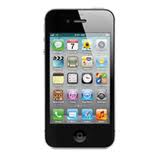
Apple created an iPhone 4 user guide. From setting up your email to adding contacts, this 244 page PDF will walk you through every single step of the iPhone set up.Obviously this iPhone 4 user guide was not designed for people who already own an iPhone but I’m sure it will help first-time iPhone owners.You can download the iPhone 4 user guide in PDF from here, or just go to help.apple.com/iphone/ from your iPhone.
Wednesday, December 25, 2013
Nokia 5130 keypad solution keys and switches connection tracing guide for repair
Nokia 5130 keypad solution, keys and switches connection tracing guide for repair
The solution may help repair and fix nokia 5130 keypad malfunction and button switches failure. You may check, trace particular keys which are not able to function by using the repair guide below. Each group of colors indicates that they are connected with each other. So just locate where that particular non working key being connected and mend it found cut or open.
Nokia 5130 xpressmusic keypad keys malfunction full tracing solution


The Power ON/OFF key is isolated and not connected to other group of key connection for it only holds for switching or powering up the device. There is an open spots near the keypad filter IC that the power ON and OFF key can be connected when the power key fails or or if the line is cut or open.
Nokia 5130 ON-OFF power key jumper ways


And heres the internal connection of the keypad filter IC, you may check and apply a temporary jumper on this components to ensure that the inner line paths from the application processor is not being damaged.
Nokia 5130 keypad filter IC jumper ways


Monday, November 18, 2013
3GS Jailbreak Unlock Guide ios 6 0 1 tethered
What we need to do this?
1= A iPhone 3gs with supported bass band for unlock with ultrasnow.2= iPhone2_1_6.0.1_10A523_Restore.ipsw
3= iPhone2,1_6.0_10A403_Restore.ipsw
4= redsn0w_win_0.9.15b3 or later version
Warning
Before starting be very careful do full backup of your phone using iTunes. also save SHSH blobs using redsnow to revert back to your current version of ios.This method is tested by me and working.you see in pictures. do at your own risk i am not responsible of any damage or any mistake during this work.
after doing backup of your device.
connect iphone with pc and open redsn0w_win_0.9.15b3 then go to Extra > Even more > Restore
and select iPhone2_1_6.0.1_10A523_Restore.ipsw redsnow prompt you that redsnow doesnt recognize this ipsw but it can still prevent a bassband update select yes.
redsnow will process ipsw and then restore to iphone this will tack more then 10 minutes approx to complete this possess.

open redsn0w_win_0.9.15b3 then Extras and select ipsw and select
iPhone2_1_6.0_10A403_Restore.ipsw Now go back and press jailbreak.
and follow the instruction given by redsnow. this will complete in few minutes. after this possess complete you will see phone in working condition but when you press cydia it will close immediately don.t worry.

now go to cydia and add source pointed in picture. and install ultrasnow and ultrasnow fixer.


This is tethered jailbreak because untethered jailbreak for ios 6.0.1 is not yet released.
So Good Luck all of you friends who give some time to read this.
Subscribe to:
Posts (Atom)