Showing posts with label files. Show all posts
Showing posts with label files. Show all posts
Tuesday, March 18, 2014
Nokia 1200 RH 99 Firmware Updates Flash Files
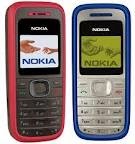
Nokia 1200 with firmware number RH-99 was released in 2007. The feature are same as Nokia 1110i, Nokia 1112 and 1600 with some small updates. In firmware and shape of the mobile. Nokia 1200 is from generation DCT4. Here Latest version firmware flash file for this model. yu maybe download this file from here


Wednesday, March 12, 2014
How to Restore Files Hidden by Virus on Windows 7

Virus has modified the attribut of folders and files to be hidden. So, we will try to modify the folders and files attribut to restore.
Open command prompt from START MENU > RUN. Type CMD and hit enter. Go to the drive, for example your flashdisk is on drive E.
Type “e:” and enter.
The command we use to restore files is ATTRIB.
Type this command :
attrib -s -h *.* /S /D and hit enter.
Finished.
If you want the easier way to restore your files, you could use Smadav Antivirus. It can detect hidden files in your flashdisk and restore them.
File Hidden by Virus (Pendrive)
I believe all of us must be frustrated with the virus, worm, trojan and malware because sometimes so hard to remove and they will cause you a lot of trouble. not only you but also your friend(if they borrow your pendrive or hard drive filled with those culprit(virus.win32.vb.dg).
Our case here today is “How to make your hidden file emerge from the depth of invisibility?”. Because, even though you go to Folder Option > View > Show hidden File, you still can’t see the folder inside your hard drive.
Now, lets get started.
First we use the manual method.(I prefer this method because, you can learn something instead of using software + few clicks and you end up with nothing) What i mean is, isn’t it great to learn how to use command prompt?
Step 1:
Run “cmd” (alternative way to open = Windows Button + r, type “cmd” and enter)>>> For windows XP User, Click Start > All Program > Accesories > CMD/Command Prompt. Then follow steps 2.
Step 2:
Type “attribf:*.*/d/s-h-r-s”

Note that the “f” is your drive letter. You can change it to C: , D: , depending on which drives infected by the virus.
Step 3:
After you type the command, press enter. The times for this process to complete depending how big your storage and how much data inside. The larger occupied data on our drive, the longer the process will be.


If you curious about the command above, you can type “help attrib” and press enter. There you can see what’s the meaning behind the -s -h /d etc.
Hope this helps!!!

Tuesday, March 11, 2014
Nokia X2 00 RM 618 Firmware Updates Flash Files
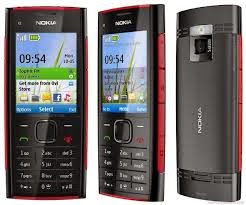
Nokia X2-00 RM-618 Belongs to the generation BB5. Here all firmware flash files for this model. These are three file included in this download links. While flashing you have to select these files from the folder. If the download links are missing or dead please inform us in comments so that we may replace the links as soon as possible.
Disclaimer : We are try our best to provide you the best working flash files and firmware for every new and old mobile phone model. Please use them at your own risk.
Caution : Before You flash or format a mobile phone please take a backup of important data because flashing and formatting will remove all data.
Download Nokia X2-00 RM-618 Firmware Flash Files
Tuesday, March 4, 2014
Nokia 1280 RM 647 Firmware Updates Flash Files
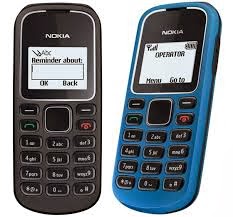
Nokia 1280 Supports the firmware RM-647 and it belongs to the generation DCT4. Here are latest firmware flash files version 07.00 available on internet. You have to download these these three files mcu, cnt and ppm to flash your Nokia 1280. Download links are given below.
Disclaimer : We are try our best to provide you the best working flash files and firmware for every new and old mobile phone model. Please use them at your own risk.
Caution : Before You flash or format a mobile phone please take a backup of important data because flashing and formatting will remove all data.
Download Nokia 1280 RM-647 Firmware Flash Files
Sunday, March 2, 2014
Bind hide files behind image

This trick is for those who wanna send some files to others without their notice. i.e your they will get your files but they wont be known about those files. They will consider that they only have received a photo.
So, lets start…
NOTE: THIS IS JUST FOR FUN NOT FOR SERIOUS PEOPLE.
Instructions…
- Download JPG+File Binder from HERE
- Extract and run JPG+filebinder

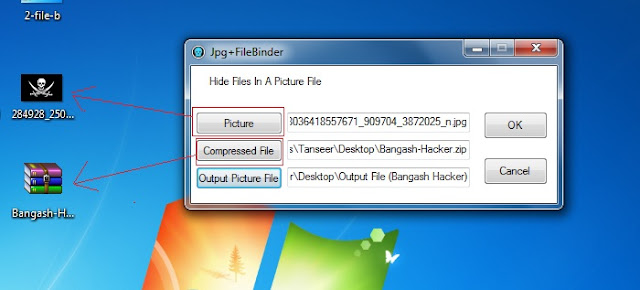
- Compress all the files which you want to hide in one Compressed file using Winrar or Send to Compressed option as shown below
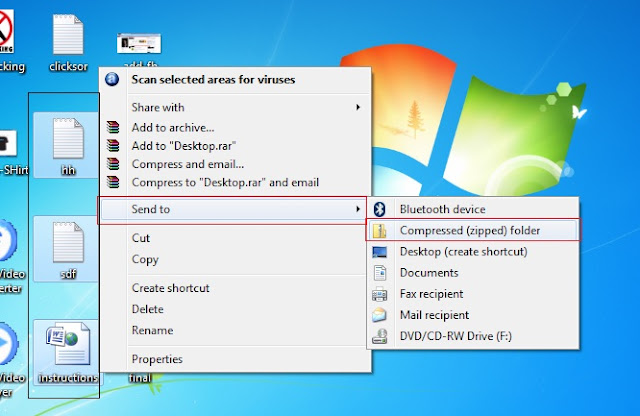
- Open the image in which you hide the files by clicking on “Picture” button and Open compressed file in all the files are stored by clicking on “Compressed File” button as shown below.
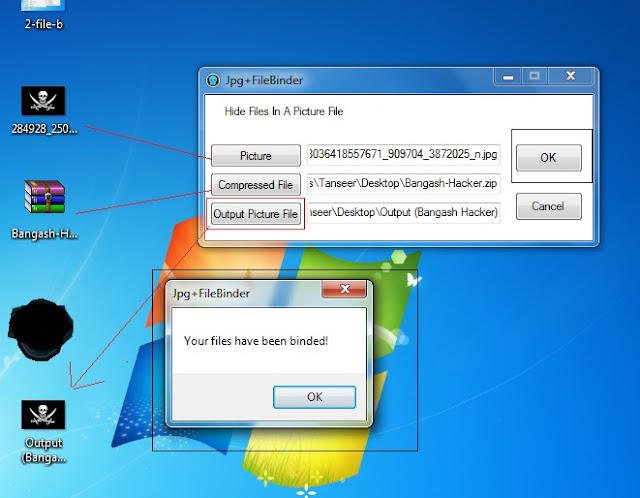
- Select the Output file Location where the image file will be save by clicking on “Output Picture File” button
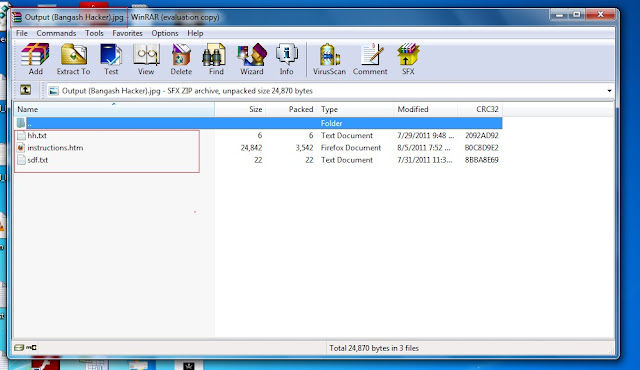
- Then Click on “Ok” button to Bind the file and save and you will see look like this
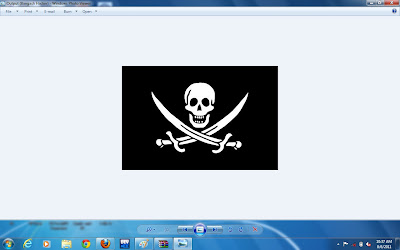
- Now you can Open this image as a picture , by opening it directly i.e double click on it or select open.
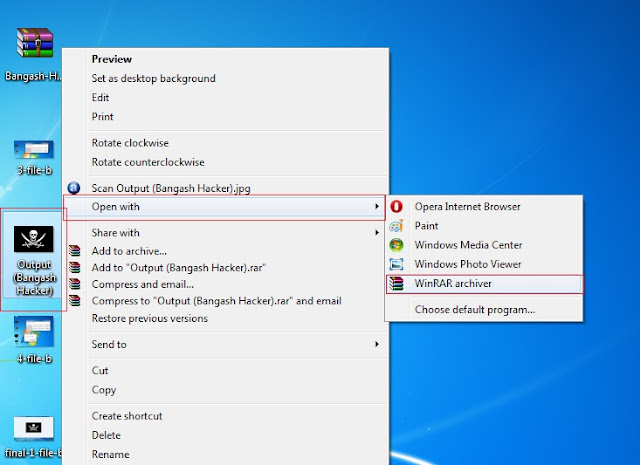
- If you see the Files which hide behind this image then open it with any compressing tool i.e WinRar as shown below
And finally…
Have Fun…
Wednesday, February 26, 2014
Download Torrent Files with IDM

Today I am telling you about how to download torrent files with IDM(Internet Download Manager) or other Fast Downloader. I have already post one trick about this but this is one is better and fast way to download torrent files.
Instructions:
- First of all download a torrent file which you want to download i.e movie file or pdf torrent file etc.
Note: Just download " .torrent " file which almost 2 or 3 KB. - CLICK HERE to visit the main website
- Now click on Signup and Create an account.

- fter creating your account click on upload button and select your torrent file from computer which you first downloaded.


- When you select a torrent file then click on GO! button.

- Now you will see a dialog saying please wait and wait for some seconds.

- Now the website will cache you torrent file and it take some time and wait for it.
Note: It cache the file very fast but sometime it take time then wait or login after some time to your account.

- When the cache is complete for your file then the download button will be activate and click on it to download the file.

- when you click on download button then it will show you a dialog box and click on Free to download you file with IDM.

and finally you done it

Tuesday, February 25, 2014
Nokia 1202 RH 122 Firmware Flash Files V4 03

Nokia 1202 is a very simple and slim mobile phone with some simple useful features like ringtones, long time battery life, alarm clock, simple games and many more. it belongs to the nokia 1000 series and its firmware version is rh-112. Please use the links given below to download firmware flash files for Nokia 1202 rh-112 version 4.03. Inform us in case of any mistake.
Download Here
Sunday, February 23, 2014
Nokia C1 01 RM 607 Firmware Flash Files
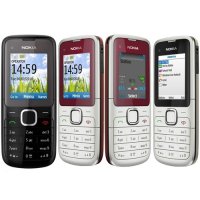
Nokia C1-01 RM-607 Firmware Flash Files
Here are Nokia C1-01 Firmware Flash Files
Free And Direct Download Links Are Given
Below .Click Below The Link To Download
DOWNLOAD NOW
Saturday, February 15, 2014
Motorola Rokr E1 R373 Firmware Updates Flash Files

Disclaimer : We are try our best to provide you the best working flash files and firmware for every new and old mobile phone model. Please use them at your own risk. Caution : Before You flash or format a mobile phone please take a backup of important data because flashing and formatting will remove all data.
ZIPPYSHARE DOWNLOAD :
http://www19.zippyshare.com/v/10722299/file.html
4SHARED DOWNLOAD :
http://www.4shared.com/rar/qB9Z-n5Eba/Motorola_E1_R373_Flash_Files.html
Monday, February 10, 2014
Nokia 1209 RH 105 Firmware Updates Flash Files

Nokia 1209 is a simple color screen mobile phone by Nokia. It is from the generation DCT4. It supports the firmware RH-105. Here are latest version flash files for Nokia 1209. Download These flash files and select these three files while flashing. The download link include three files MCU, PPM and CNT. Please follow the link given below.
Disclaimer : We are try our best to provide you the best working flash files and firmware for every new and old mobile phone model. Please use them at your own risk.
Caution : Before You flash or format a mobile phone please take a backup of important data because flashing and formatting will remove all data.
DOWNLOAD NOKIA 1209 RH-105 FIRMWARE
Wednesday, December 18, 2013
Nokia Infineon Flash Files in One Setup

DOWNLOAD MEDIAFIRE
Friday, December 6, 2013
Nokia Asha 311 RM 714 Flash Files Download

Nokia Asha 311/3110 RM-714 Flash Files Firmware Latest
Nokia Asha 311/3110 RM-714 Flash Files Firmware Latest
Nokia Asha 311/3110 RM-714 Flash Files Firmware Latest
DOWNLOAD LINK 1
DOWNLOAD LINK 2
Sunday, December 1, 2013
Download Flash Files Nokia 1616 RH 125 Version 6 53

Nokia 1616 RH-125 Version 6.53 latest flash files Free direct download
Latest version 6.53
MCU
PPM
CNT
Tuesday, November 5, 2013
Nokia 500 Auto Navigation PD 14 Flash Files Download
Nokia 500 Auto Navigation (PD-14) Flash Files Download

Nokia 500 Auto Navigation (PD-14) Flash Files V1.0.62 Free Download
File 1. EUR01_PD14_1.0.62_290208.dat
File 2. PD14_8453981_1.0.62_001.vpl
File 3. EUR01_PD14_1.0.62_290208.bin
Thursday, October 31, 2013

Saturday, October 26, 2013
Downlaod Nokia X2 01 rm 709 v8 75 Flash Files
Are you using X2-01 model Nokia mobile handset ? and are you looking for Nokia X2-01 rm-709 v8.75 Flash Files? Dont worry my dear, you are in right place. Here I embedded the flash files of Nokia X2-01 rm-709 v8.75 so that you can download it from here.

Wednesday, October 23, 2013
Nokia Lumia 510 RM 898 Flash Files Version 1102 0 8779 123490 Download
Nokia Lumia 510 RM-898 Flash Files Version 1102.0.8779.123490 Download
Nokia Lumia 510 RM-898 latest flash files free download
Version 1102.0.8779.123490
Sunday, October 20, 2013
Nokia Lumia 510 RM 889 Flash Files Version 1102 0 8779 12392 Free
Nokia Lumia 510 RM-889 Flash Files Version 1102.0.8779.12392 Free
Subscribe to:
Posts (Atom)